Is Your CAD Drafting Backlog a Capacity Problem or a Technique Problem?
Share this article


Key takeaways
- A technique fix (templates, layers, blocks, xrefs) helps a single drafter work cleaner, but it does not add hours to a team that is already at full output.
- A real capacity problem shows up as a backlog that keeps growing even after the team adopts every workflow shortcut available.
- Firms that confuse the two often send a drafter to a course when the actual gap is one more set of hands on the boards.
- A remote drafter placed inside your existing Revit or CAD files adds production capacity directly, without changing your standards or your software.
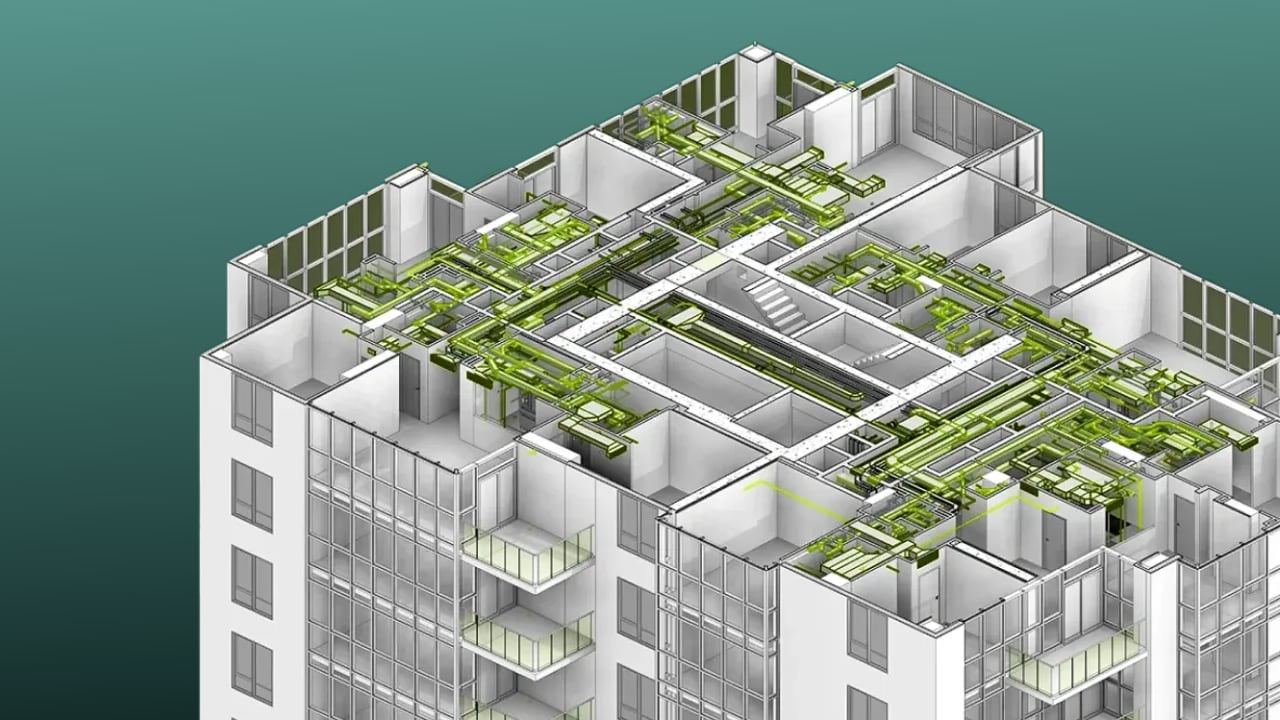
Most AutoCAD advice teaches a solo drafter to work faster. It never asks the question a principal actually needs answered: is this backlog a training gap or a staffing gap.
Two very different problems get lumped together
Search for CAD drafting productivity tips and every result teaches the same thing: work faster inside AutoCAD. Use a template. Name your layers. Build blocks for repeated objects. Purge the file when you are done. The 8 AutoCAD tips guide from CAD Intentions is a good example: eight solid techniques, all aimed at a single drafter working faster. These are good habits, and they help a single drafter produce cleaner work.
None of them answer the question a principal actually has when a project calendar starts slipping: is this a training gap, or is this a staffing gap. Those are different problems with different fixes, and treating one as the other wastes time on both sides.
What a technique problem looks like
A technique problem is a workflow that is slower than it needs to be. Drawings get rebuilt because layers were never named consistently. A drafter redraws the same detail instead of reusing a block. Files balloon with unused blocks and layers because nobody purges them.
These issues are real, and they are worth fixing. A firm with messy standards can recover meaningful hours by adopting the discipline that AutoCAD tips articles describe: templates, named layers, annotative text, and regular file cleanup. Our own look at recent software changes, AutoCAD 2025: five drafting workflow upgrades, covers where the software itself now removes some of this friction automatically.
The tell for a technique problem is that it responds to training. Once the team adopts the habit, the backlog eases within a project cycle or two, because the fix addressed the actual bottleneck: wasted motion inside the software.
What a capacity problem looks like
A capacity problem does not respond to training, because training was never the bottleneck. The team can be disciplined, fast, and well organized, and the backlog still grows, because there are not enough hours in the week to produce what the project pipeline requires.
The clearest sign is a project calendar that keeps slipping even after a deadline already moved once, with the same people working the same hours on it. A second sign is a senior architect or project lead doing production drafting instead of design review, because there is nobody else to hand the work to. A third sign, and the one firms miss most often, is a backlog that survives every workflow shortcut the team tries. If the team adopts templates, blocks and xrefs and the queue still grows, the limit was never technique.
We described this exact pattern in small studios in how small architecture studios add BIM and CAD capacity: a short term spike in drafting work is usually the real trigger, not a permanent new hire, but it is still a capacity gap that no amount of software fluency closes on its own.
Why the mix-up is expensive
Sending a drafter to a course does not add hours to the week. If the real gap is capacity, that spend buys a marginally faster drafter who is still working inside the same finite schedule, and the backlog keeps growing while the course runs.
The reverse mistake is just as costly. Hiring a full time employee to fix a workflow problem means carrying a permanent headcount for what training would have solved in a few weeks. Firms that scale production without growing headcount, as covered in scaling production capacity without growing headcount, tend to be the ones that diagnosed the gap correctly before choosing a fix.
How to add capacity once you have confirmed that is the gap
Once the diagnosis points to capacity, not technique, the fix is more hands inside the existing production pipeline, not more courses. Many firms place a remote drafter directly inside their Revit, CAD or BIM files, working under their own standards and their own production lead, instead of recruiting a full time local employee for what may be a temporary spike.
WorldTeams places pre-vetted professionals, drawn from the top 3% of applicants, in the same time zone as the client team, in less than 72 hours, with a dedicated account manager and no hidden fees. That professional works inside your files and your standards; software licenses, permits and any required local stamping stay with your firm. The same staffing structure applies to a narrower, well defined handoff, as described in who staffs the Revit to render handoff at your firm.
The diagnosis comes first
Before training anyone or hiring anyone, look at whether the backlog moves when the team adopts faster habits. If it does, invest in technique. If it does not, and senior staff are still doing production work months after the workload started, the gap is capacity, and the fix is more production hands inside the pipeline you already run.
- CAD drafting
- production capacity
- drafting workflow
Frequently asked questions
Answers to the questions readers ask most about Diagnosing a CAD drafting bottleneck.
How do I know if my drafting backlog is a technique problem or a capacity problem?
Look at whether the backlog moves after the team adopts faster habits. If drafters clean up their layers, use templates and blocks, and purge unused data, and the queue still grows, the limit is hours, not skill. Most published AutoCAD advice, such as the 8 AutoCAD tips guide from CAD Intentions, only covers the technique side. A technique problem responds to training within a project cycle; a capacity problem keeps producing missed dates no matter how efficient any one drafter becomes, which is the pattern we cover in what a capacity problem looks like below and in how small architecture studios add BIM and CAD capacity.
What are concrete signs a firm has hit a real production capacity limit?
The clearest sign is a project calendar that keeps slipping even after a deadline already moved once, with the same people working the same hours. A second sign is senior staff doing production drafting instead of design review, because there is nobody else to hand it to. A third is a backlog that survives every software shortcut the team tries, which is exactly the scaling pattern described in scaling production capacity without growing headcount.
Where do AutoCAD or Revit technique fixes stop paying off?
Technique fixes such as templates, named layers, annotative text and xrefs remove friction from a single drawing, so they help most when a firm is inconsistent, not when it is simply short of hands. Once standards are already reasonably clean, as covered in AutoCAD 2025: five drafting workflow upgrades, the ceiling on output becomes headcount and hours, not habits, and no further workflow tweak changes that math.
How do firms add drafting capacity without a permanent local hire?
Many firms place a remote drafter inside their existing Revit, CAD or BIM files, working under their standards and their production lead, instead of recruiting a full time local employee for a temporary spike. WorldTeams places pre-vetted professionals, from the top 3% of applicants, in the same time zone as the client team in less than 72 hours, with a dedicated account manager and no hidden fees. That structure works the same way for a narrower handoff, as described in who staffs the Revit to render handoff at your firm.
Are CAD drafters going to be replaced by AI?
Not for the judgment calls that make a drawing set usable: resolving clashes, reading a client's intent, and knowing what construction documents actually need to say. AI tools can speed up repetitive cleanup, the same category of gain covered in AutoCAD 2025: five drafting workflow upgrades, but they do not remove the need for a person who owns the drawing set end to end.