6 Nano Banana AI Prompts To Transform An Architecture Render
Share this article


Key takeaways
- One finished architecture render is enough to build a full marketing set: aerial, close up, human scale, golden hour, and autumn, using six exact prompts.
- Each prompt goes into an AI image editor such as Google's Nano Banana model in Gemini, pasted alongside the original render exactly as written.
- Every prompt carries an explicit instruction to preserve the original architecture, so the edit does not drift from the actual design.
- A person on the team still checks every AI edit against the source render before it reaches a client or goes out as marketing.
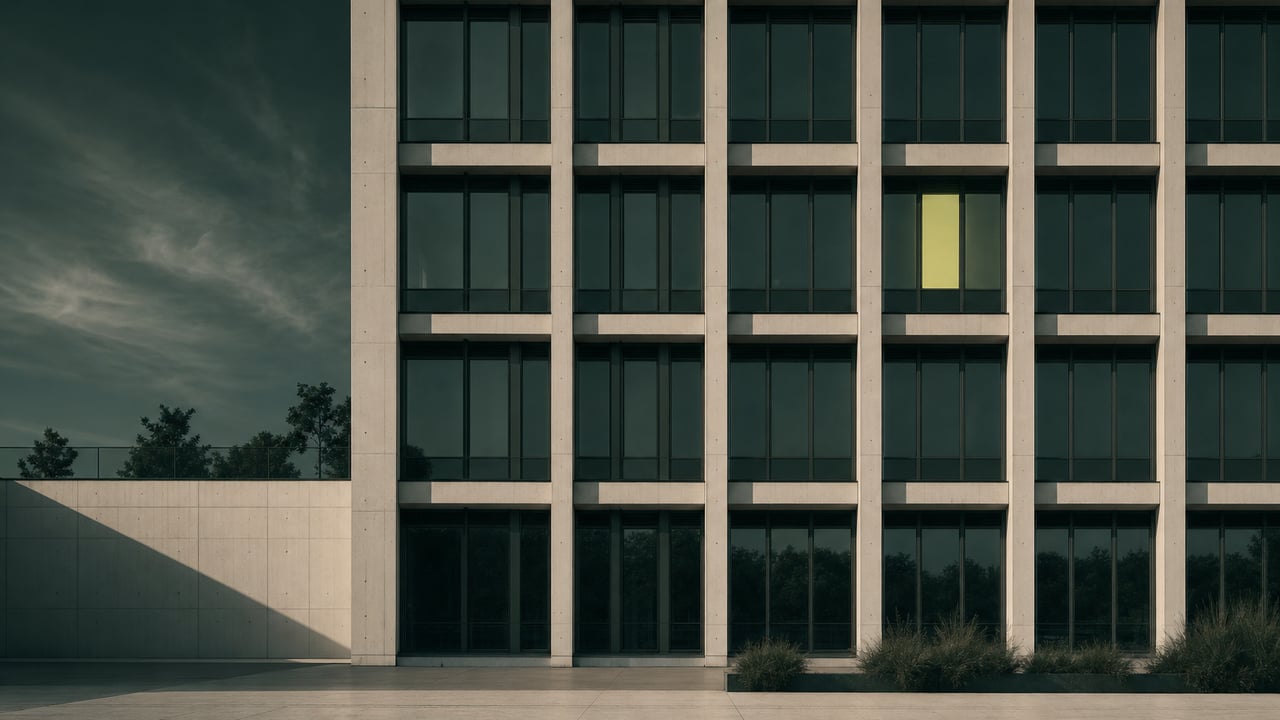
Six copy paste AI prompts that turn one finished architecture render into a full marketing set: aerial, close up, human scale, golden hour, and autumn.
One Render Is Enough To Build A Full Marketing Set
A single finished architecture render already contains everything an AI image editor needs to produce five more. Instead of booking additional rendering hours for an aerial shot, a material close up, or a golden hour version, an AI image editor such as Google's Nano Banana model in Gemini can generate each variation directly from the render you already have, a shift covered more broadly in AI in architecture.
Public prompt lists for this workflow already exist, including a 40-prompt Nano Banana list covering exteriors, facades and aerials; the six below are the shorter, sequenced set our teams actually reuse on real projects.
The six prompts below are the same set our AEC teams use in practice: paste your finished render into an AI image editor, add one prompt exactly as written, and review the result before it goes anywhere near a client or a marketing deck.
The Six Prompts You Can Copy And Paste
Each prompt below is written out in full. Upload your render to an AI image editor, paste the prompt exactly as written, and generate the result.
01. Drone View
Prompt:
Transform this image into an aerial drone view while preserving the exact architecture and original surroundings. Capture the scene from an elevated perspective with a photorealistic look, cinematic composition, and natural lighting.
Use this one for a hero image on a project page or a listing that needs to show the building's footprint and its relationship to the surrounding site, without a second drone shoot.
02. Object Close-Up
Prompt:
Transform this image into a close-up of an architectural element while preserving the exact original design. Emphasize the materials, textures, and construction details with a photorealistic appearance.
Use this one when a proposal or a portfolio needs to prove the quality of a specific material or detail, cladding, a stair rail, a window assembly, rather than the whole building at once.
03. Activity Close-Up
Prompt:
Transform this image by adding realistic human activity while keeping the original architecture exactly as it is. Insert people interacting naturally with the space, preserving the lighting, the materials and the photorealistic appearance.
Use this one to show a lobby, a courtyard, or a unit actually being used, which reads as more convincing to a client than an empty render, without waiting on a live photo shoot after occupancy.
04. Human Close-Up
Prompt:
Transform this image into a close-up of a person interacting with the architecture while preserving the exact original design. Emphasize the human scale, lighting, and materials with a photorealistic appearance.
Use this one whenever a board or a listing needs a clear sense of scale, a doorway, a stair, or a counter height read differently once a person is standing next to them.
05. Golden Hour
Prompt:
Transform this image into a golden hour scene while preserving the exact original architecture. Add soft golden light, long shadows, and a warm, inviting atmosphere with a photorealistic appearance.
Use this one for the emotional, sell side image: the same render that reads as neutral at midday reads as inviting at golden hour, and now that version does not need a second render pass.
06. Autumn
Prompt:
Transform this image into an autumn scene while preserving the exact original architecture. Add autumn-colored foliage, seasonal vegetation, soft lighting, and a photorealistic atmosphere.
Use this one to show how a building sits across seasons in a single marketing set, useful for a project that will be marketed or leased year round rather than only at the season it was rendered in.
Every Prompt Keeps The Original Architecture Untouched
Notice the instruction repeated across all six prompts: preserve the exact original architecture, the exact original design, the original surroundings. That line is not filler. It is what stops the AI image editor from quietly redesigning a window, a roofline, or a facade while it changes the light or adds people.
Without that instruction, an AI image editor asked for a golden hour version or an aerial view is free to invent whatever geometry fills the frame convincingly. With it, the model is asked to change atmosphere, angle, or activity while treating the building itself as fixed. That distinction is what makes the output usable for a real project instead of a nice looking image of a building that does not exist.
Review Every AI Edit Before It Reaches A Client
Six correct prompts do not remove the need for a person to check the output. Before any of these six results goes into a proposal, a listing, or a social post, someone on the production team should compare it against the original render and the model it came from: does the material still match, does the massing still match, does the detail the client actually approved still read correctly.
That review step is the same discipline WorldTeams' embedded architects, engineers and BIM technicians apply to any AI output before it reaches a client, whether the prompt is turning a render into a marketing set or turning a drawing into a client presentation. An AI image editor is fast at producing options; it still takes a trained eye to decide which option is accurate enough to ship.
Where These Prompts Fit In A Real Production Workflow
These six prompts start after the render exists, not instead of it. The render itself still comes from a modeling and rendering workflow, the kind of production capacity covered in how 3D rendering services enhance client presentations; the prompts above are what a team does with that render once it is already good.
The same logic applies upstream: a firm that is short on drafting or BIM capacity to produce the render in the first place can review how small architecture studios add BIM and CAD capacity with a remote team before it ever gets to the AI editing step described here, and see the broader architecture staffing capacity that produces the renders these prompts start from.
If your team wants these six prompts as a ready reference alongside the render production and review process behind them, comment "RENDER" on the original WorldTeams carousel these prompts came from, or reach out directly through worldteams.com to see how an embedded AEC team runs this workflow on a real project.
- render
- ai prompts
- architecture rendering
- nano banana
Frequently asked questions
Answers to the questions readers ask most about AI prompts to transform an architecture render.
What is Nano Banana and how does it work with an architecture render?
Nano Banana is the nickname for Google's image generation and editing model inside the Gemini app. Instead of generating a scene from scratch, it edits a real image you upload, so pasting in a finished architecture render and one of the prompts below asks it to change the angle, the light, or the season while keeping the actual building as it is.
Do I need six different renders to use these six prompts?
No. All six prompts below start from the same single finished render, the kind of output covered in AI in architecture. Each one asks the AI image editor for a different transformation of that one image, so one good render can become an aerial view, a material close up, a human scale shot, a golden hour version, and an autumn version.
Will the AI change the actual building design when it edits the render?
It should not, and every prompt tells it not to. Each of the six prompts includes an explicit instruction to preserve the exact original architecture, which is what keeps the output usable instead of a design a client never approved.
Can I use these prompts with an AI tool other than Nano Banana?
Yes. The wording does not depend on one product. Any AI image editor that accepts an uploaded image plus an edit instruction can run these prompts; Nano Banana in Gemini is simply the tool named on the original prompt card these came from.
Who checks the AI output before a client sees it?
A person on the production team still reviews every edited image against the original render and the model before it ships, the same review step WorldTeams' embedded teams apply to AI prompts for client presentations. An AI edit that drifts from the real design is a revision, not a deliverable.